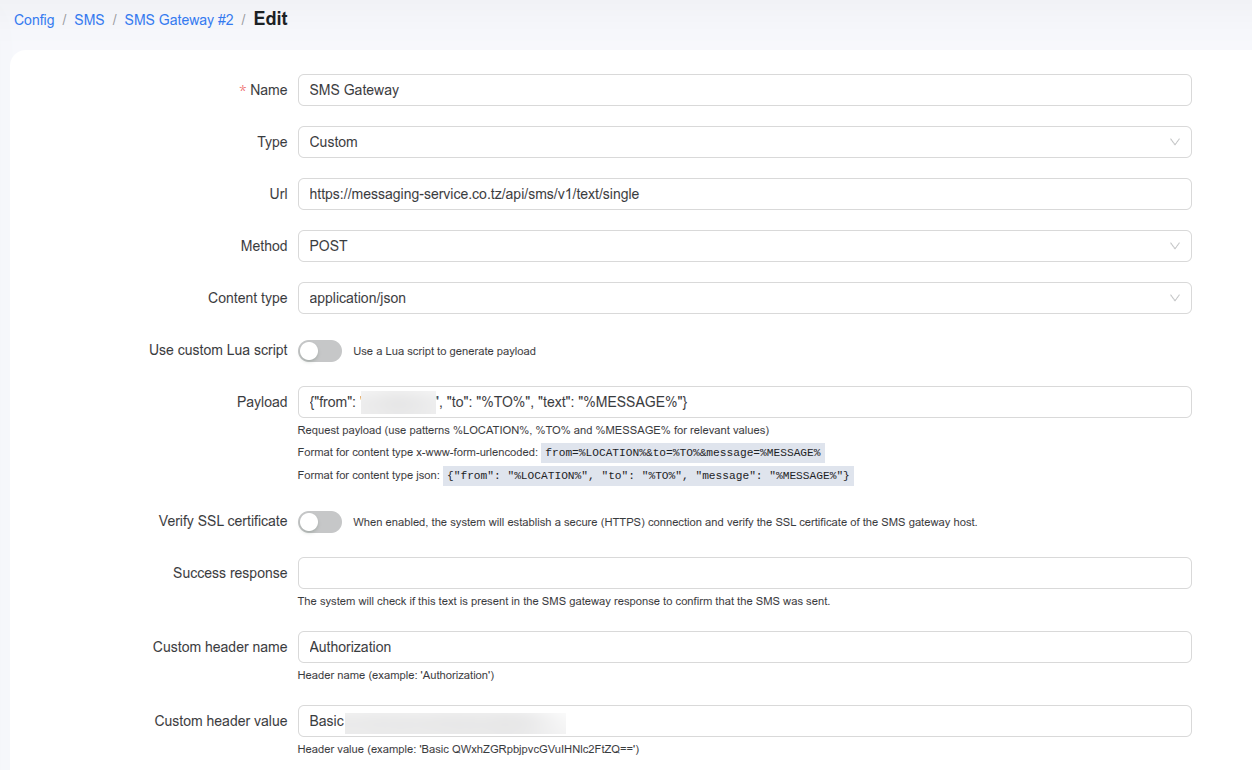
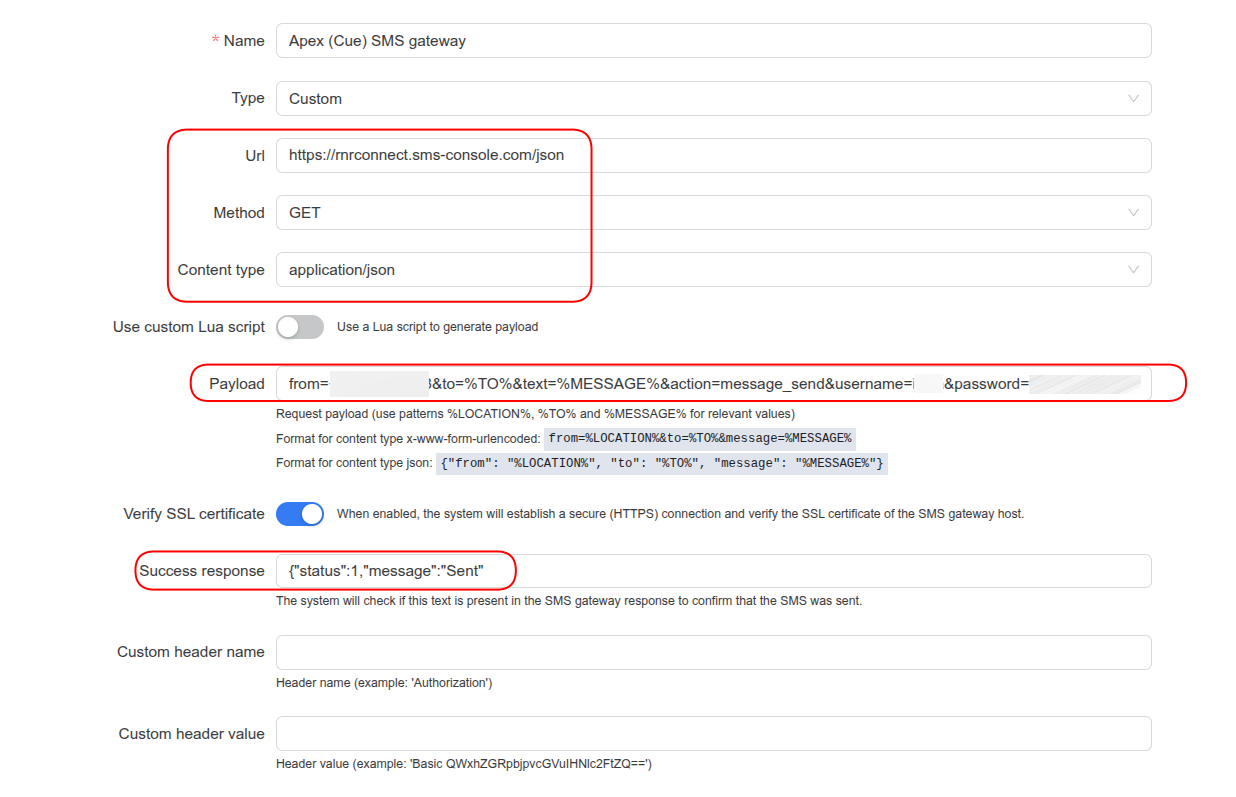
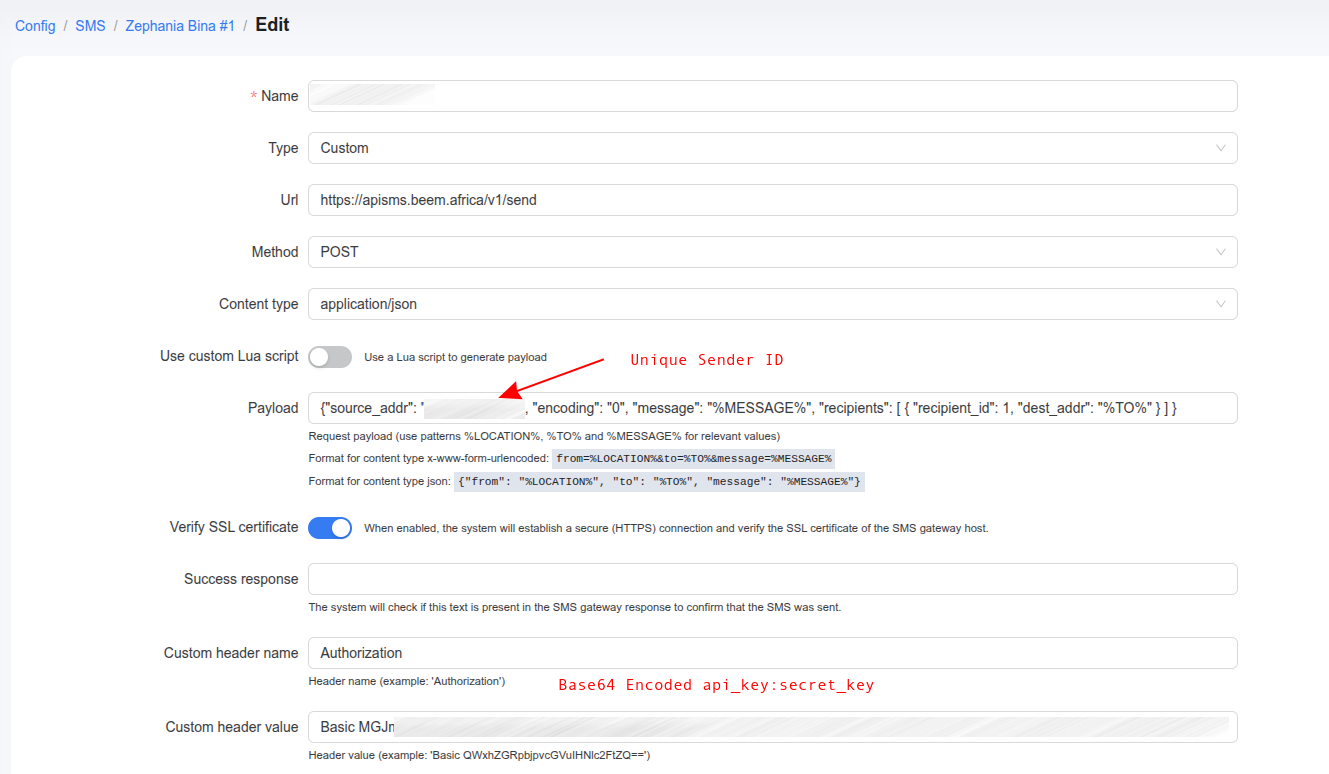
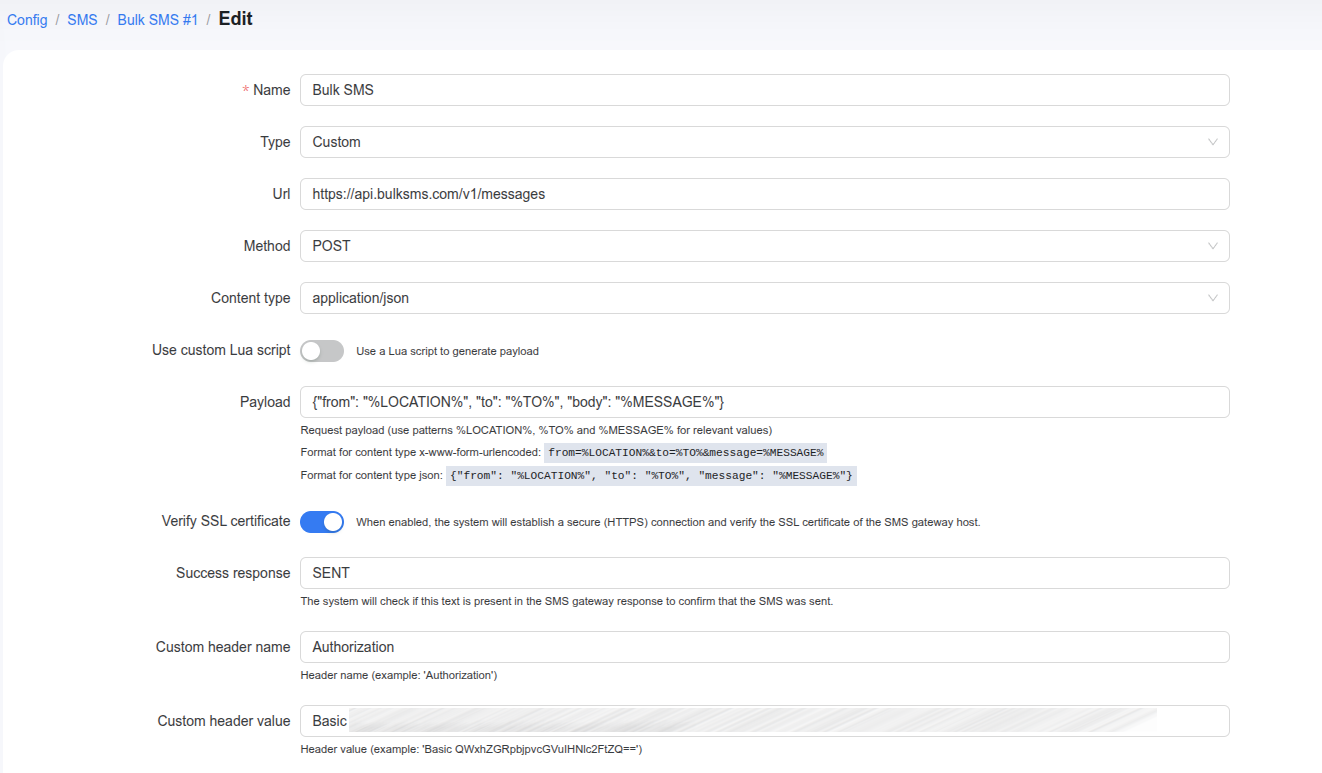
Please leave feedback about your custom SMS gateway setup, including pricing, limits, and the region where you are using it. This will help others choose the most suitable SMS gateway for their needs in Powerlynx.
NextSMS is a recognized and fairly popular local SMS gateway in Tanzania, particularly among SMEs, NGOs, and community projects. It is valued for its competitive pricing, local language support, customer service, and reliable deliverability across Tanzanian mobile networks.
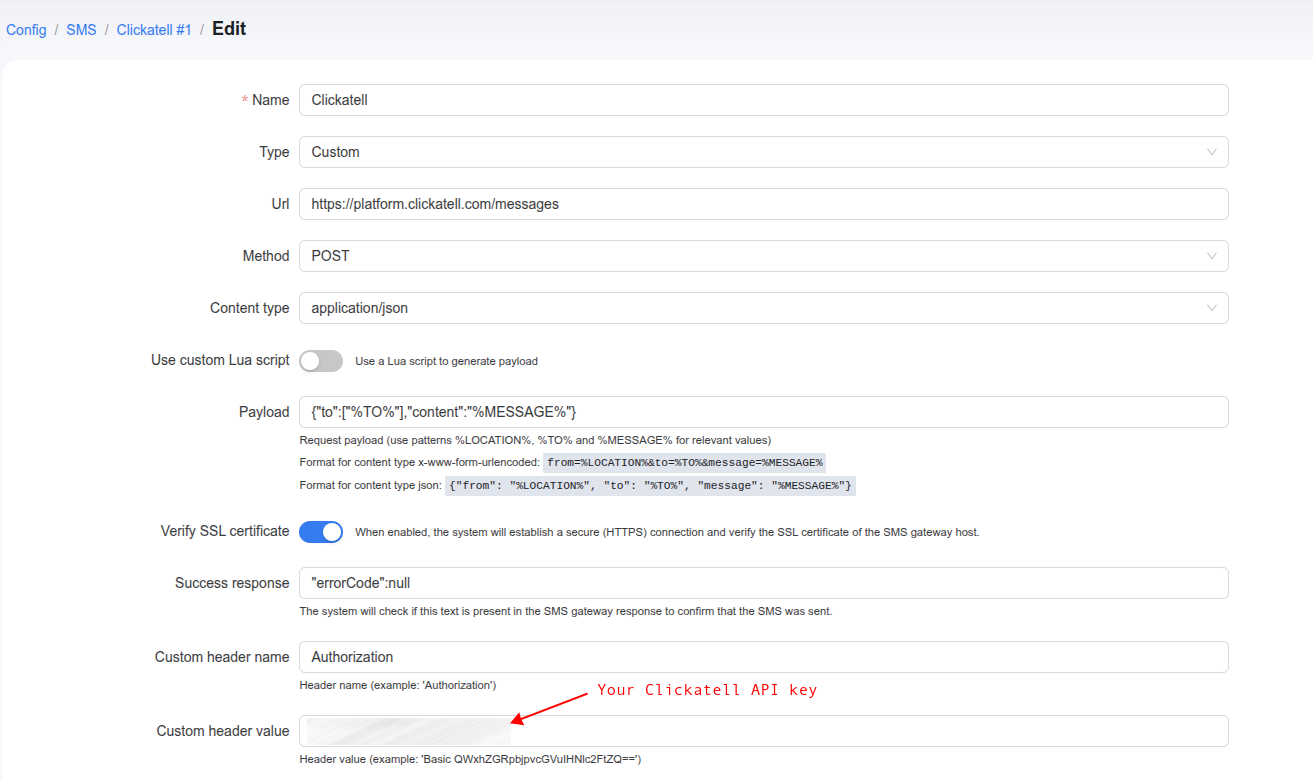
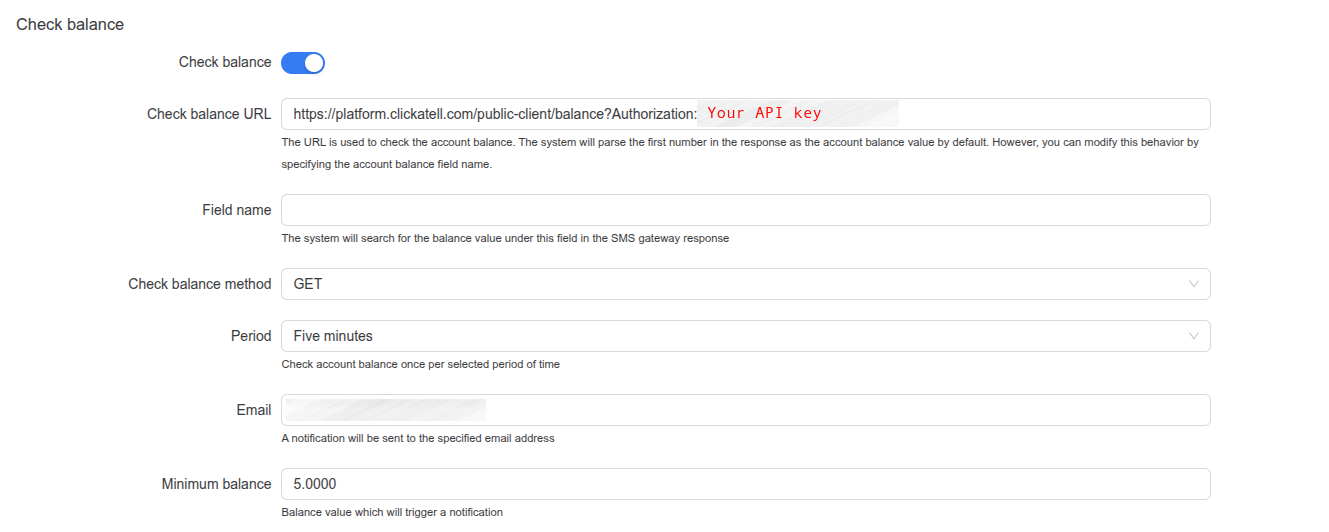
To successfully integrate Clickatell with Powerlynx, you must generate an API key and apply it to your system configuration. Please follow the steps below to complete the setup.
1. Get an API key from the Clickatell Side
First, you will need to get an API key on your Clickatell account. For detailed instructions please refer to the official documentation:
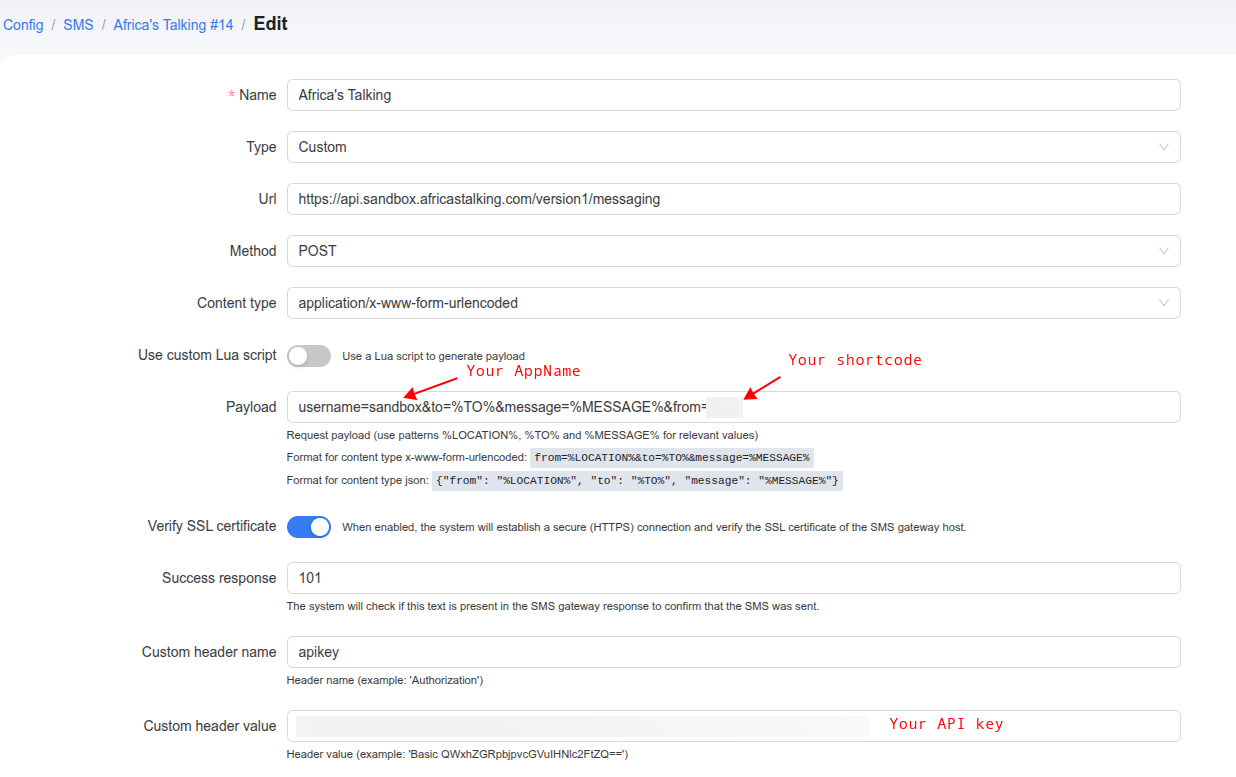
Make sure to replace YOUR_SHORTCODE with your actual sandbox shortcode (e.g., 12345).
Crucial: Ensure there is an & before the from parameter!
Verify SSL certificate: Enabled (toggle on)
Success response:101
Important: Do NOT use "statusCode": 101. Because we aren’t passing an Accept: application/json header, the API returns XML. Powerlynx just needs to find the 101 string to verify success.
Custom header name:apikey
Important: Make sure the ‘k’ is lowercase! Using apiKey may result in a 401 Unauthorized error.
Once you have verified the connection works in the Sandbox, you are ready to switch to Production. You only need to change four values in your Powerlynx configuration:
 Going Live (Sandbox vs. Live Mode Differences)